
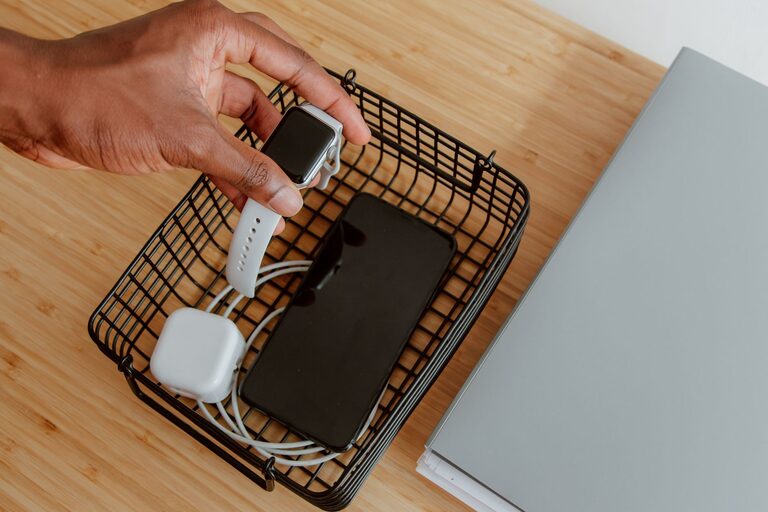
Setting up a dedicated charging station is a great way to keep your devices powered, organized, and easy to find. Whether you have smartphones, tablets, smartwatches, or wireless earbuds, having a central spot to charge them all helps reduce clutter and saves time. This guide will walk you through the steps to create a practical and efficient charging station tailored to your needs.
Why Set Up a Charging Station?
Before diving into the setup, let’s consider the benefits of having a charging station:
– Organization: Keeps cables and devices tidy in one place.
– Convenience: Makes it easy to find and charge your devices.
– Safety: Reduces the risk of tripping over cables or overloading outlets.
– Efficiency: Helps avoid searching for chargers and outlets multiple times a day.
With these advantages in mind, let’s explore the process.
Step 1: Choose the Right Location
The first step is selecting an ideal spot for your charging station. Keep these factors in mind:
– Accessibility: Pick a central location where you often use your devices, such as a desk, kitchen counter, or entryway table.
– Power source: Ensure there is a nearby electrical outlet to plug in chargers and power strips.
– Surface space: The area should be flat and large enough to hold all your devices comfortably.
Common choices include a home office desk, nightstand, or a shelf near a seating area.
Step 2: Select Your Charging Devices
Depending on the types of devices you own, you’ll need to gather appropriate chargers. Consider the following:
– Multi-port USB chargers: These allow you to charge several devices simultaneously using one outlet.
– Wireless charging pads or stands: Useful for devices that support Qi wireless charging.
– Charging cables: Make sure you have cables compatible with all your gadgets (USB-C, Lightning, Micro-USB).
It’s a good idea to invest in quality chargers that offer fast charging and safety features like overload protection.
Step 3: Organize Cables and Chargers
Cables can quickly become messy if not properly managed. Try these tips:
– Use cable organizers: Cable clips, ties, or sleeves keep cords neat and prevent tangling.
– Label your cables: Adding simple labels helps you identify each cable quickly.
– Shorten cables: Use shorter cables where possible to reduce excess length.
– Mount chargers: Some charging stations include holders or mounts to secure chargers and reduce clutter.
Arranging cables thoughtfully will make your charging station look cleaner and more efficient.
Step 4: Set Up Device Holders or Stands
To keep your devices upright and visible, consider using holders or stands:
– Tablet stands: Hold tablets at comfortable viewing angles while charging.
– Phone dock stations: Some docks hold multiple phones at once.
– Small bins or trays: Store smaller devices like earbuds and smartwatches.
Choosing holders that match your space and style helps maintain organization and adds a polished look.
Step 5: Manage Power with a Smart Power Strip
Managing power sources safely is essential. A smart power strip offers:
– Multiple outlets and USB ports
– Surge protection to safeguard devices
– Energy-saving features like timers or app control
Place your power strip under or behind the station for a neat setup.
Step 6: Add Helpful Extras
To enhance your charging station, you might want to add:
– LED lights: Soft lighting helps you find your devices at night.
– Cleaning supplies: Keep microfiber cloths nearby for screen cleaning.
– Instruction cards: Quick guides for family members unfamiliar with the setup.
These small touches can improve usability and maintain your charging station over time.
Maintenance Tips
– Regularly declutter and remove unused cables or devices.
– Check devices and chargers for wear and replace if damaged.
– Keep the area dust-free to avoid overheating issues.
– Update chargers or cables to stay compatible with new devices.
Final Thoughts
Creating a charging station is a straightforward way to simplify your daily routine and protect your devices. With a thoughtful location, appropriate chargers, cable management, and smart accessories, you can enjoy a clutter-free and efficient charging experience. Start small and adjust your station as your device collection grows.
By following these steps, you’ll have a personalized charging hub that keeps all your gadgets powered up and ready to go!